
Draw right on your home screen.

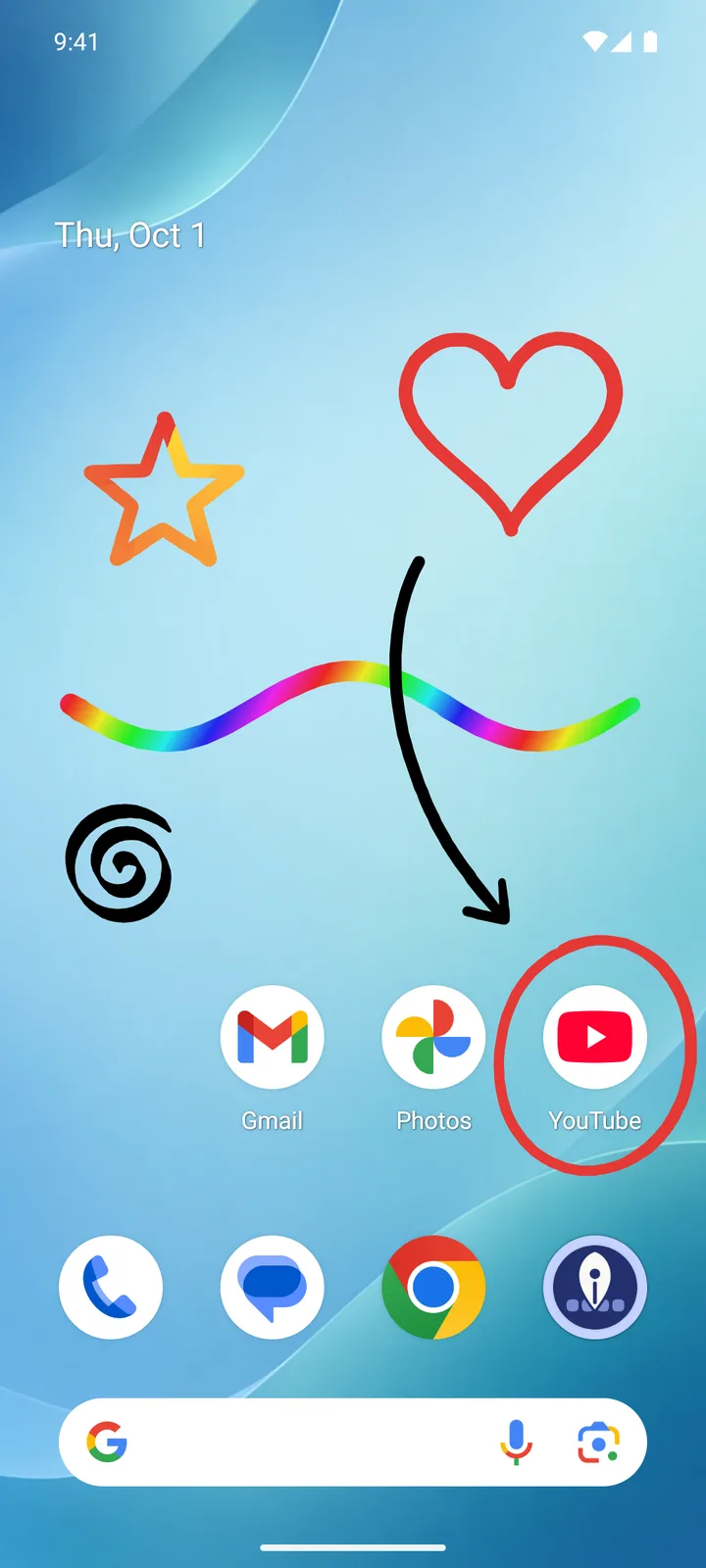
Doodle a heart next to your favorite app, circle a reminder or decorate your home screen with a rainbow. Your drawing stays there — behind your icons and widgets.
  • No account
  • No ads
  • No tracking
  • No internet access
A home screen with a drawn heart, a star, a rainbow stroke and a circle around the YouTube icon.

How it works

01

Open

Start HomeInk from its app icon or the Quick Settings tile.

02

Draw

A transparent drawing layer now sits over your home screen. Draw with your finger or a stylus.

03

Finish

Tap “Finish drawing” — your drawing becomes a permanent part of your wallpaper, and your apps work just as before.
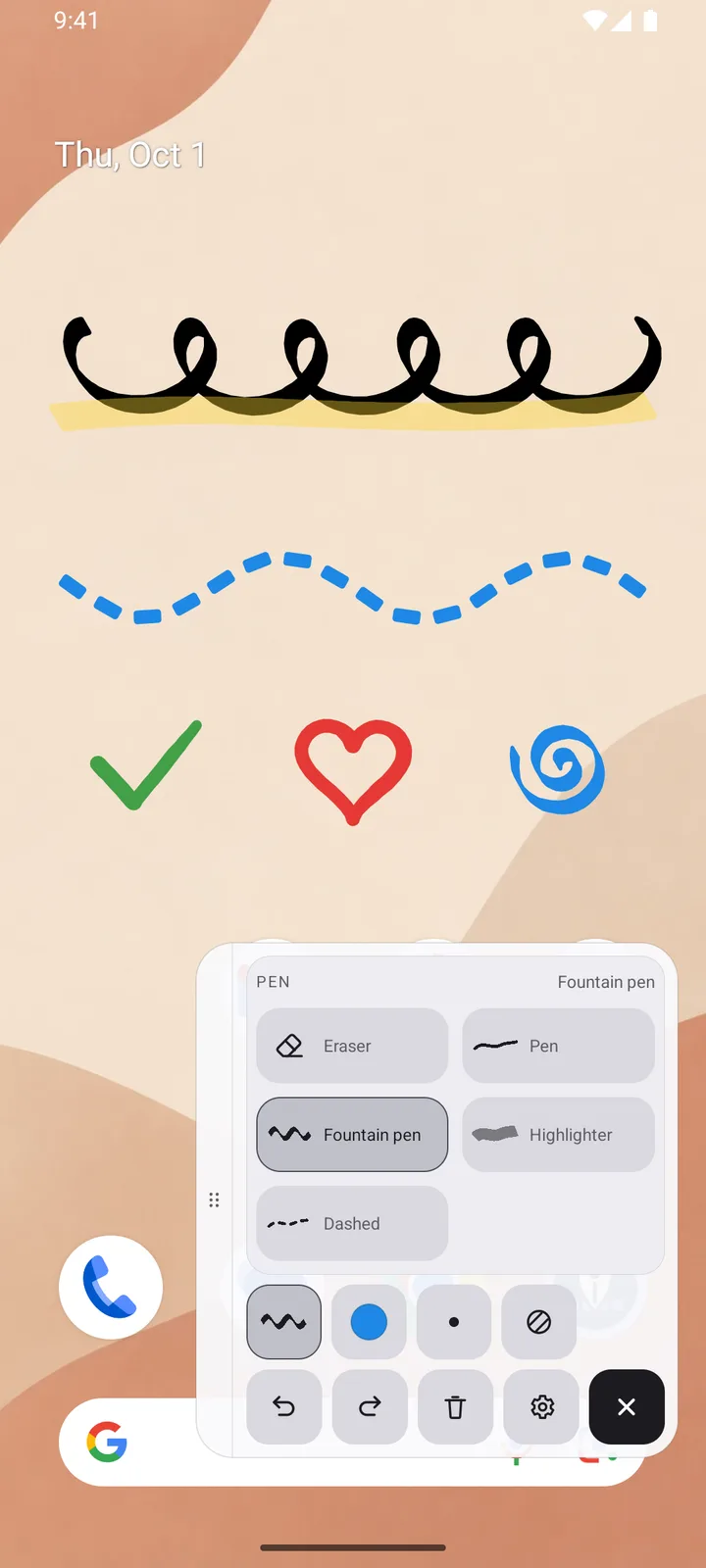
The open toolbox with the pen tray; on the home screen fountain pen loops, a highlighter stroke and a dashed wave.

Tools that feel like pens

  • Four pen types Pen, fountain pen with an italic nib, highlighter and dashed line.
  • Six colors, a range of stroke widths Presets for everything that has to be quick — and HomeInk remembers your custom colors if you want.
  • Effects Every pen combines with an effect: the rainbow, which runs across the screen, or a gradient along the stroke between two colors. The rainbow is free, gradients are part of Pro.
  • Stylus Pressure-sensitive strokes, and the stylus button erases.
  • Toolbox or notification Control the session on screen — or from the notification, and the screen stays completely clear.

Private by design

HomeInk is built entirely on-device. There is nothing to transmit, because the app cannot send at all.
  • No internet access The INTERNET permission is not part of the app. Your drawings and images never leave your device.
  • No account, no tracking No sign-in, no ads, no analytics SDKs.
  • No access to your photos You pick your own image through the system file picker. HomeInk only ever sees that one image.
  • Only while you draw “Display over other apps” is used for the drawing session alone — not on the lock screen, not over other apps.
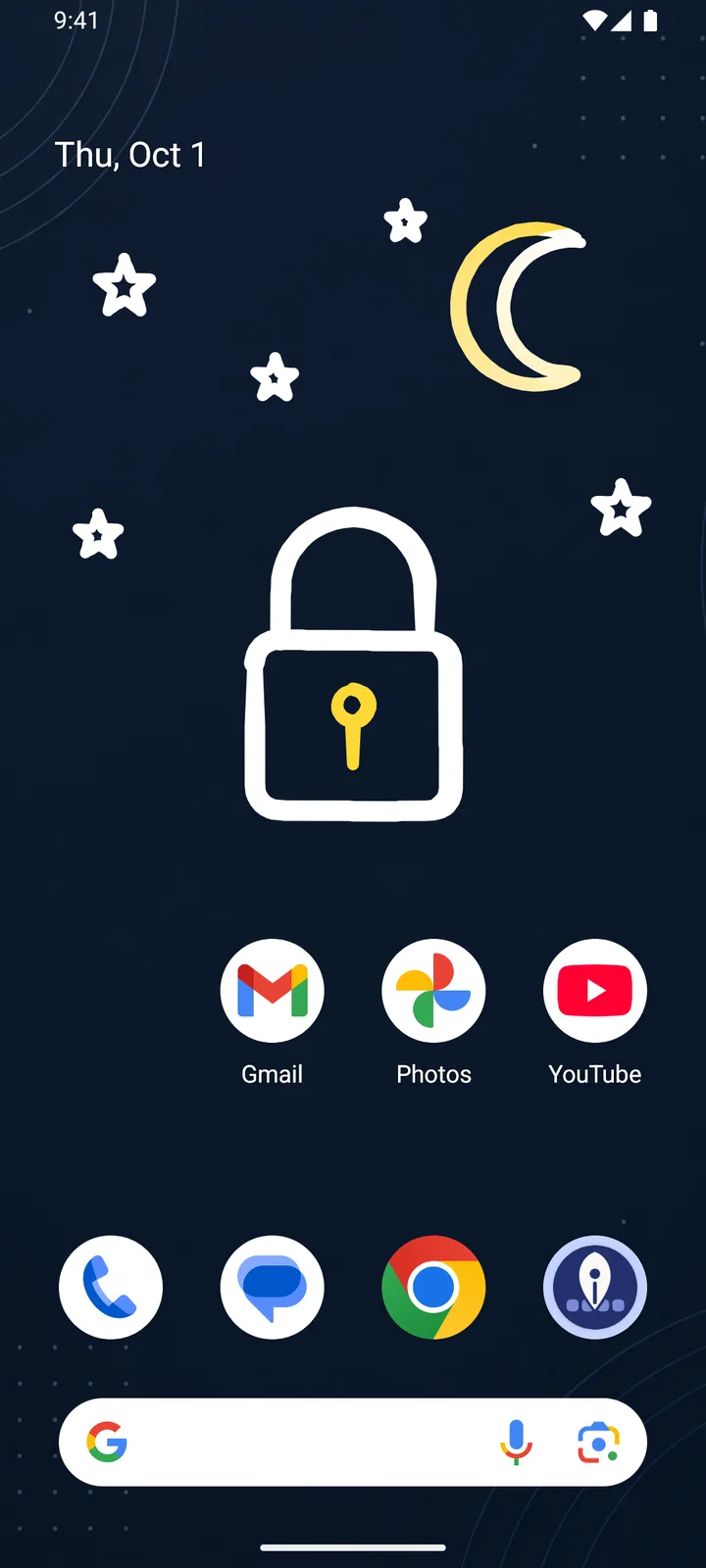
A home screen with a drawn padlock, moon and stars on a dark background.
Beta — free right now

HomeInk Pro

During the beta you unlock Pro once, for free, in the app. After that it becomes a one-time purchase through Google Play — no subscription.

  • Fountain pen with an italic nib, highlighter and dashed line
  • Gradients between any two colors
  • Custom colors from the color picker, up to five remembered

Free forever: the pen, all preset colors, the rainbow, the eraser, all backgrounds and a separate drawing for each home screen page.

Your home screen. Your handwriting.

Get it on Google Play